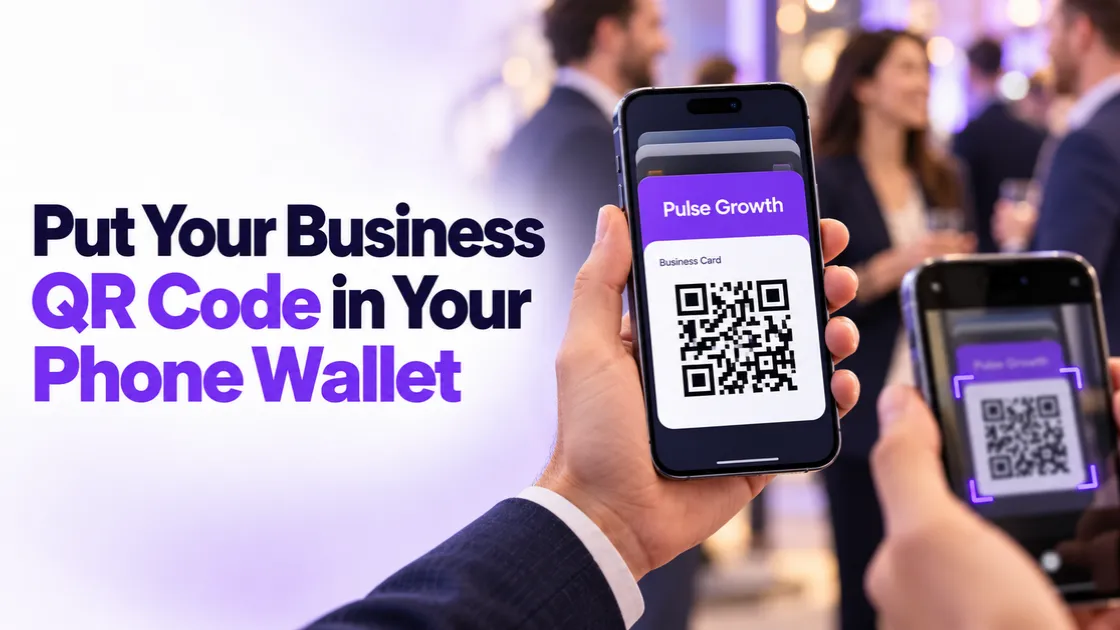
How to Put Your Business QR Code in Apple or Google Wallet
A QR code sitting in your desktop account does nothing for you at a networking event. The person you just met is standing right there, phone in hand, and your contact details are three logins away. There's a better place to keep that code: your phone's wallet, right next to your boarding passes and coffee cards.
Quick Answer: How do you add a QR code to Apple Wallet?
To add a QR code to Apple Wallet or Google Wallet, create the QR code in PulseGrowth under Sites, then QR Codes. Once you've designed it, PulseGrowth shows a wallet option next to your finished code. Scan that with your phone and the QR code saves straight into your Apple Wallet or Google Wallet, ready to open and share anywhere. PulseGrowth is an all-in-one CRM and automation platform for service businesses, and QR codes are built in on every plan.
What kind of QR code should you create?
Before you make one, decide what you want people to see after they scan. PulseGrowth gives you a few options, and each suits a different job:
- A vCard QR code shares your contact details. One scan and the other person can save your name, phone number, and email straight into their contacts. This is the one to pick for networking.
- A website URL QR code sends people to any page you choose, like your booking page or a current offer.
- A Google review QR code takes a happy customer straight to your review page while they're still smiling. We covered that use case in detail in our post on QR codes for Google reviews.
For this walkthrough we'll build a vCard, since it's the one that earns its keep at events. The steps are the same for the other types.
How do you create a QR code in PulseGrowth?
The whole thing takes a few minutes:
- Go to the Sites tab and find the QR Codes section.
- Click Create QR Code and give it a name you'll recognize later.
- Select the type of QR code you want. For a contact card, choose vCard, then click Next.
- Enter the details you want people to receive: your name, phone number, email address, and anything else worth having. Double-check everything here. A typo in your phone number is the kind of mistake nobody reports, they just never call.
- Click Next to customize the design. You can change the colors, shape, borders, and background so the code matches your branding instead of looking like everyone else's. Keep it simple and professional, or make it distinctive. Just make sure it still scans easily.
Here's the full walkthrough on video:
How do you add the QR code to Apple Wallet or Google Wallet?
Once you're happy with the design, you'll see your finished QR code along with a new option to add it to Apple Wallet or Google Wallet.
Use that wallet option and scan the code it shows you with your phone. Your QR code then saves into your compatible wallet app, the same place your boarding passes live. From then on you have two ways to use it: share it from your PulseGrowth account on desktop, or open your phone's wallet and hold it up for someone to scan.
One thing to know: a vCard stores the details you entered when you created it. If your phone number or email changes later, update the QR code in PulseGrowth and re-save it to your wallet so you're not handing out old information.
Which businesses get the most out of this?
This feature is good for any business that meets people face to face. Coaches and consultants who go to events and want follow-ups to actually happen. Med spas and clinics where front desk staff can let patients scan a review or booking code on the spot. Home service businesses where the technician is the one standing in the customer's kitchen. Realtors at open houses. Anyone who has ever said "let me find a pen" at a trade show.
The common thread is simple: the moment someone wants your details is brief, and fumbling for them is how leads go cold. A code in your wallet means the handoff takes five seconds, and because a vCard saves your details into their contacts, you're not relying on them to keep a paper card they'll lose by Friday.
QR codes are one small piece of what PulseGrowth handles. The same platform runs your follow-up, booking, reviews, and automations, so the person who scanned your code at an event can land in your CRM and get a proper follow-up instead of a sticky note.
Key Takeaways
- Create QR codes in PulseGrowth under Sites, then QR Codes, in just a few minutes.
- Pick the type by the job: vCard for contact sharing, URL for a page, review code for feedback.
- Customize the design so your code matches your brand instead of looking generic.
- Use the wallet option after designing to save the code to Apple Wallet or Google Wallet.
- Update the QR code and re-save it to your wallet if your contact details ever change.
FAQs
Do I need a separate app to save a QR code to my wallet?
No. Apple Wallet comes on iPhones and Google Wallet is free on Android. PulseGrowth shows you a code to scan, and your phone handles the rest.
Can I put my QR code in Google Wallet instead of Apple Wallet?
Yes. The same option covers both, so it works on iPhone and Android. Pick whichever wallet your phone uses.
What happens when someone scans my vCard QR code?
Their phone opens your contact details, like your name, phone number, and email, and offers to save them straight into their contacts. No typing, no paper card to lose.
Can I change the information in my QR code later?
Yes, but update it in PulseGrowth first and then save the refreshed code to your wallet again. The wallet pass keeps whatever was current when you saved it.
Is the QR code feature included in PulseGrowth?
Yes. QR codes are built into the platform under the Sites tab, alongside your funnels and websites, so there's nothing extra to buy.
Want more like this?
Try PulseGrowth free for 14 days and build your first branded QR code along with the follow-up automation behind it. Start free, and we'll help you get it set up. Start your free 14 day trial here.
The PulseGrowth Team


