How to Teach AI Your Visual Brand (So Everything It Designs Looks Like You)
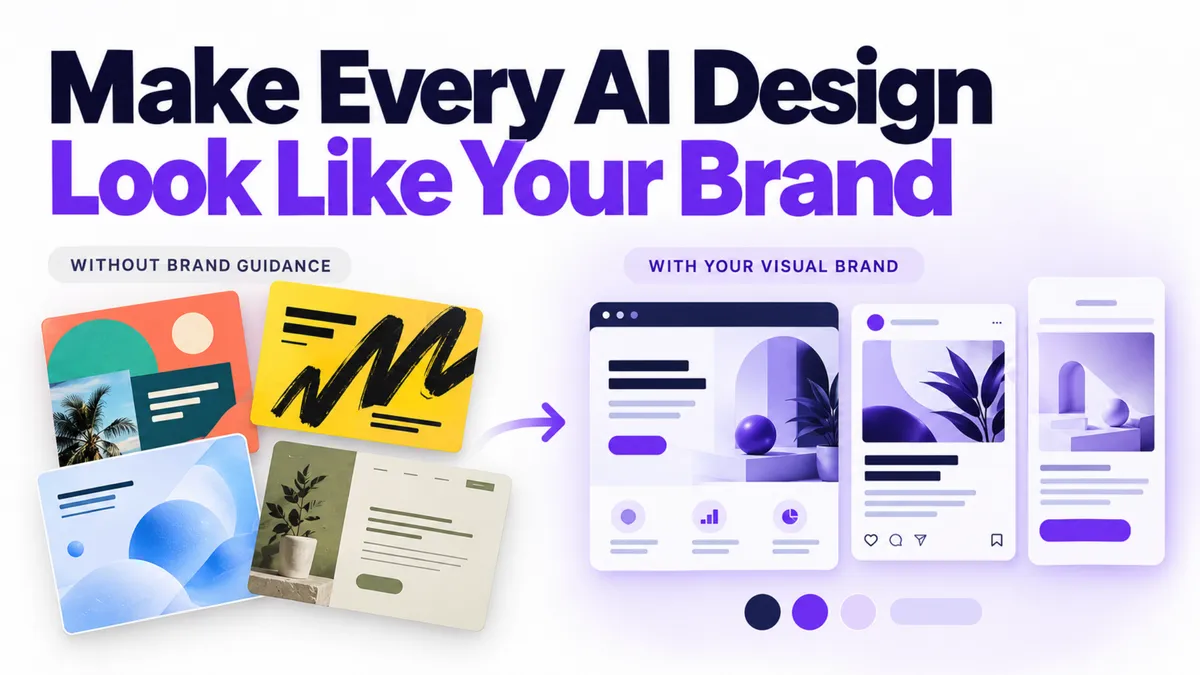
AI can build you a landing page in minutes. It can also build you a landing page that looks nothing like your last landing page, which looked nothing like your Instagram, which looked nothing like your proposal template. Speed was never the problem. Consistency is.
Quick Answer: What is an AI brand style guide?
An AI brand style guide is a single document that records your colors with their hex codes, your fonts, your imagery rules, your logo rules, and your overall visual mood in plain language. You paste it into any AI tool before asking for a design, and the output comes back looking like your business instead of a random template. Writing one takes about an afternoon, and you only do it once. It works for any business that uses AI to create pages, graphics, or social posts.
Why does everything AI designs look like a different company made it?
Because the AI was never told what your company looks like.
When you ask an AI tool to "make me a landing page for my massage studio," it has to guess at everything visual. So it guesses. Teal gradient today, purple glow tomorrow, a font you've never used in your life on Thursday. Each individual output might be fine. Put five of them side by side and it looks like five different businesses pooled their marketing budget.
Your customers notice this faster than you'd think. People may not be able to name your fonts, but they can feel when something is off brand. Consistency is what makes a small business look established, and it's the first thing that quietly disappears when AI starts producing your visuals without instructions.
The fix is the same one we covered for writing in How to Train AI to Write in Your Brand Voice: stop re-explaining yourself in every prompt and write it down once. That post handled how you sound. This one handles how you look. Together they're the full brand handoff, and this is part two.
What goes in an AI brand style guide?
You're writing the document you'd hand a new designer on their first day. Short answers are fine. Rough answers are fine. A guide that exists beats a perfect guide you never finish.
Cover these areas:
- Your colors, with hex codes. Pick two or three, write the exact code for each (it looks like #1A2B3C), and say what each one is for: background, headlines, buttons, accents. Also note the feeling each carries, like deep navy for trust or warm coral for energy. Not sure of your codes? Paste a screenshot of your website or logo into an AI tool and ask it to read them for you. It will.
- Your fonts, and where each shows up. One or two is plenty. Which one is for headlines, which one is for body text.
- Imagery that's you, and imagery that never is. Warm natural light versus corporate stock handshakes. Real photos versus illustrations. Say both sides, because the "never" list is what saves you from the weird output.
- Faces. Do your visuals show you, your team, or real clients? Or do you use stock? There's no wrong answer, but AI needs to know which one it's working with.
- Shapes, icons, borders, and patterns. Rounded corners or sharp? Thin line icons or filled? Anything you'd never use?
- The overall mood, in one sentence. Warm and grounded. Sharp and minimal. Playful and bright. This single line does more steering than anything else in the document.
- Logo rules. Where it goes, and what should never happen to it. Stretched, recolored, or dropped onto a busy photo are the usual crimes.
- The never list. Colors you avoid, photo styles that feel off, claims you can't back up.
- The formats you actually make. Social posts, slides, emails, ads, and how each should look different from the others.
- Text on visuals. How big headlines go, how much text is too much, and whether you ever shout in all caps.
Finish with the two or three things you check before approving any visual. That's your quality bar, written down, and the AI can apply it before you ever see a draft.
How do you actually write it without losing a weekend?
You don't write it like an essay. You answer questions.
Open a blank document and work through the list above as if someone were interviewing you about your brand. Skip anything that doesn't fit your business. If typing feels slow, talk instead: record a voice memo where you read each question out loud and then answer it, run it through a transcription tool, and you've got your raw material in fifteen minutes.
Then hand the mess to AI. Paste your rough answers into your AI tool of choice and ask it to organize them into a clean visual brand guide written in full sentences, in your own words. One instruction matters here: tell it not to rewrite your answers in generic AI style. You want the guide to sound like a person wrote it, because a person did.
Save the result somewhere you can find it. That's the whole build. Most owners get it done in an afternoon, and it's a one-time job with occasional updates when your brand evolves.
How do you use the guide once it exists?
From now on, every design request to any AI tool starts with the guide. Paste it in, then ask for what you need. The difference in output is immediate: right colors, right mood, right fonts, no more teal gradient surprises.
Inside PulseGrowth, an all-in-one CRM and automation platform for service businesses, this gets very practical. AI Studio builds pages, funnels, and sites from a plain description, so when your description includes your brand document, the page it builds is on brand from the first draft. We walked through that build process in How to Build a Landing Page With AI. And Ask AI, the assistant built into the platform, drafts your page content and emails to match, so the words on the page follow the same playbook as the design around them.
Here's a short look at how Ask AI works in practice:
If you're curious what the AI side of the platform covers, the AI features page has the full picture.
This is good for coaches and consultants who produce a lot of social and slide content, for clinics and med spas where polish directly affects trust, and honestly for any service business tired of their marketing looking like it was made by committee. Which, without a brand guide, it was. The committee was five different AI sessions.
Key Takeaways
- Write your visual brand into one document: colors with hex codes, fonts, imagery rules, logo rules, and a one-sentence mood.
- Include the never list, because telling AI what to avoid prevents most of the strange output.
- Answer questions out loud or in rough notes, then let AI organize them into the finished guide in your own words.
- Paste the guide into every AI design session, so each page, post, and graphic starts from your brand instead of a guess.
- Pair it with your brand voice guide, so how you look and how you sound finally match.
FAQs
What should be in an AI brand style guide?
Your two or three brand colors with hex codes, your fonts and where each is used, imagery rules, logo rules, shapes and patterns, a one-sentence description of the overall mood, and a short list of things that should never appear in your visuals.
How do I find my brand's hex color codes?
Paste a screenshot of your website or logo into an AI tool and ask it to read the color codes for you. It will return the exact hex values, which you can copy straight into your guide.
Do I need a designer to create a brand style guide?
No. If you can answer plain questions about how your business should look, you can build the guide yourself in an afternoon. A designer can refine it later, but the working version only needs your answers and an AI tool to organize them.
Can AI tools really follow a brand guide?
Yes, as long as the guide is in the conversation. AI tools follow written instructions well, but they can't follow instructions that only exist in your head. Paste the guide in at the start of a session and the outputs change immediately.
How often should I update my brand style guide?
Only when something real changes: a new logo, new colors, or a shift in the mood you want. For most businesses that's once or twice a year at most.
Want more like this?
PulseGrowth comes with a free 14 day trial that includes AI Studio for building on-brand pages, Ask AI for drafting content, plus your CRM, calendars, email, and automations in one place. Start free, and we'll help you get it set up. Start your free 14 day trial here.
The PulseGrowth Team


