Rebranding Your Business? What to Change and What to Leave Alone
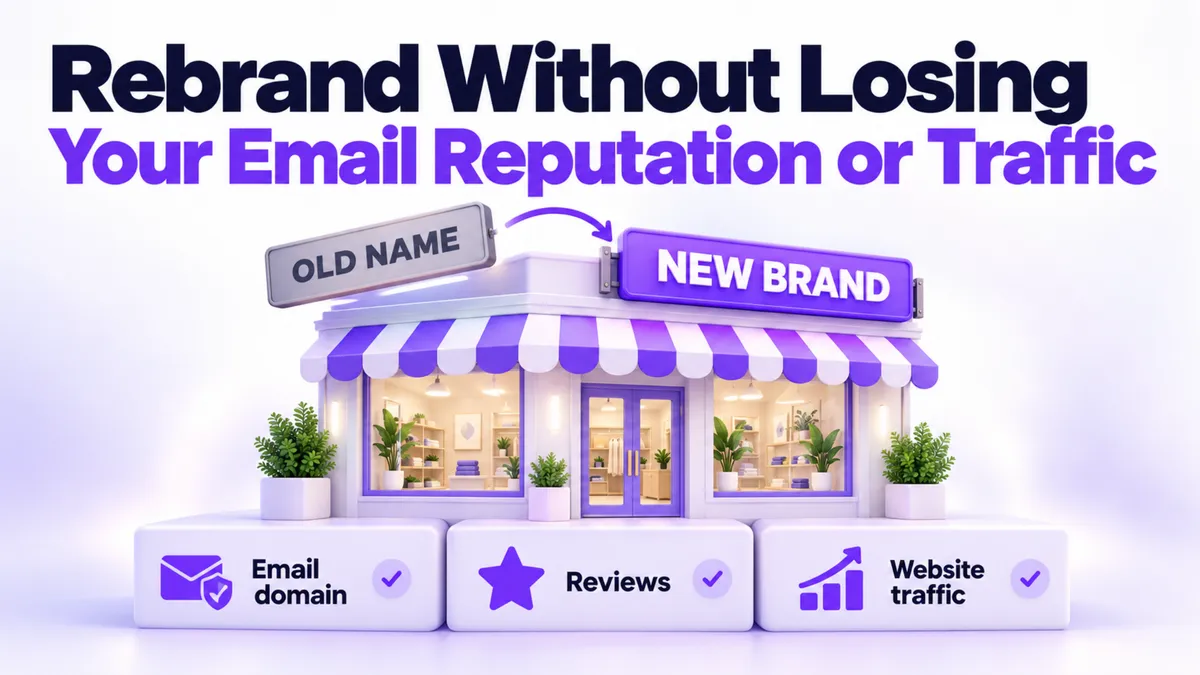
A rebrand feels like a fresh start, so the instinct is to make everything new. New name, new site, new email, scorched earth on the old stuff. Resist that instinct. A good rebrand swaps the sign over the door and leaves the foundations alone, because some of what you built under the old name took years to earn and cannot be rebuilt by Friday.
Quick Answer: The business rebranding checklist at a glance
A business rebranding checklist has two columns. Change the visible layer: your website, logo, social profiles, and the branding inside your email templates. Keep the infrastructure: your email sending domain, your phone numbers, your calendars and automations, your contact history, and your old content online. Redirect the old website to the new one with a 301 redirect instead of deleting it, and if your legal business name changes, update your text messaging registration so your texts keep delivering.
What should you change in a rebrand?
The visible layer, which is everything a customer sees:
- Website. The new brand gets the new site, and the old site gets redirected to it (more on that below).
- Logo and visuals everywhere they appear: profiles, banners, proposals, invoices.
- Social profiles. Rename and rebrand your existing accounts rather than starting new ones, so you keep your followers and your history.
- Email templates. Update the logo, colors, and sign-off inside the emails you send. The address they send from can stay exactly the same, and in most cases it should.
Notice what that list is: paint, not plumbing. Which brings us to the list that matters more.
What should you leave alone?
Your email sending domain. This is the big one. A domain that has been sending email for years has earned a reputation with inbox providers, and that reputation is the reason your emails land in inboxes instead of spam. A brand new domain starts at zero and has to be warmed up slowly over weeks before it can send at volume, a process we walked through in How to Set Up a Dedicated Email Sending Domain. Plenty of companies run a new public-facing website while their email quietly keeps sending from the old trusted domain. Customers rarely notice. Spam filters definitely notice when you do it the other way. If you were already fighting the spam folder before the rebrand, that's a separate fix, and Why Are My Emails Going to Spam? covers it.
There's a practical side too: your old email address is tied to bank accounts, software logins, and subscriptions collected over years. Changing it means updating every one of them, and the ones you forget will find creative ways to remind you.
Your old content. Don't take down old videos, posts, and articles just because they carry the old look. Old content keeps working for you in the background: it ranks in searches, and AI tools like ChatGPT recommend businesses based on the mentions and content they can find across the web. Every page you delete is a vote for your business that stops counting. Leave it up and let it keep quietly referring people.
Your phone numbers. Keep them. And here's the step almost everyone misses: if your legal business name changes, your A2P registration (the carrier verification that lets a business send text messages) needs updating to match. Carriers check that the name on the registration matches the business behind the number. Get this wrong and your texts don't bounce loudly. They just quietly stop arriving, and you find out when appointment reminders stop reminding anyone. We've seen how picky that process is in Why Did My A2P Verification Fail?.
Your calendars, automations, and contact history. None of these care what your logo looks like. Bookings, follow-up sequences, pipelines, and years of customer notes should carry straight through untouched.
What happens to your old website?
It gets a 301 redirect, which is the web's change of address card. Anyone who clicks an old link, an old bookmark, or an old search result is automatically forwarded to your new site. It's permanent, it's invisible to the visitor, and it passes along much of the search credibility your old site earned.
The order matters:
- Launch the new site fully, so there's somewhere to send people.
- Set up the 301 redirect from the old domain to the new one. If individual articles moved to specific new pages, redirect those one to one rather than dumping everything on the homepage.
- Only then cancel the old site's hosting, and check with whoever hosts it that the redirect survives the cancellation. Kill the hosting first and old links become dead ends while the redirect has nowhere to live.
Keep ownership of the old domain itself for years. Renewal costs less than lunch, and it's what keeps the redirect and your email reputation alive.
Why is this easier when everything runs on one platform?
Scattered across five tools, a rebrand is five migration projects. On one platform, it's mostly a renaming exercise. When your marketing runs inside PulseGrowth, an all-in-one CRM and automation platform for service businesses, the rebrand touches the surface and nothing else: phone numbers, calendars, automations, pipelines, and contact history all stay put while you rename and reskin around them. Domains, DNS, and 301 redirects are handled inside the platform, and when a legal name changes, updating the A2P registration is part of the support we provide rather than a form you battle alone. This is good for consultancies rebranding around a founder's name, practices that changed ownership, and any business whose name has drifted away from what it actually sells. You can see what's included on pulsegrowth.io.
Key Takeaways
- Change the visible layer in a rebrand: website, logo, social profiles, and email template branding.
- Keep your email sending domain, because its earned reputation is why your emails reach inboxes, and a new domain starts from zero.
- Leave old content online, since it keeps ranking in search and feeding the AI tools that recommend businesses.
- Use a 301 redirect on the old website, and cancel its hosting only after the redirect is confirmed working.
- If your legal business name changes, update your A2P registration or your text messages will quietly stop delivering.
FAQs
Should I change my email domain when I rebrand my business?
Usually no. Your existing domain has years of sending reputation that keeps your emails out of spam, and a new domain starts with none. Many businesses run the new brand's website while continuing to send email from the established domain, and customers rarely notice.
What is a 301 redirect and do I need one when rebranding?
A 301 redirect permanently forwards visitors from your old website address to your new one, and yes, you need it. It catches every old link, bookmark, and search result, and it passes along much of the search standing your old site earned instead of throwing it away.
Should I delete my old content after a rebrand?
No. Old posts and videos keep appearing in searches and keep counting as evidence of your business across the web, including for AI tools that recommend businesses based on what they find. Deleting them erases history that was still working for you.
Do I need to update my A2P registration if my business name changes?
Yes, if the legal name changes. A2P registration ties your texting number to your verified business identity, and a mismatch between the registration and your legal name can stop your texts from delivering without any obvious error.
When can I cancel my old website hosting?
After the new site is live and the 301 redirect is set up and tested, and after confirming with your hosting provider that the redirect will keep working once hosting is canceled. Do it in that order and nobody ever hits a dead link.
Want more like this?
PulseGrowth comes with a free 14 day trial that includes your CRM, website, email, calendars, and automations in one place, which makes the next rebrand a facelift instead of a rebuild. Start free, and we'll help you get it set up. Start your free 14 day trial here.
The PulseGrowth Team


