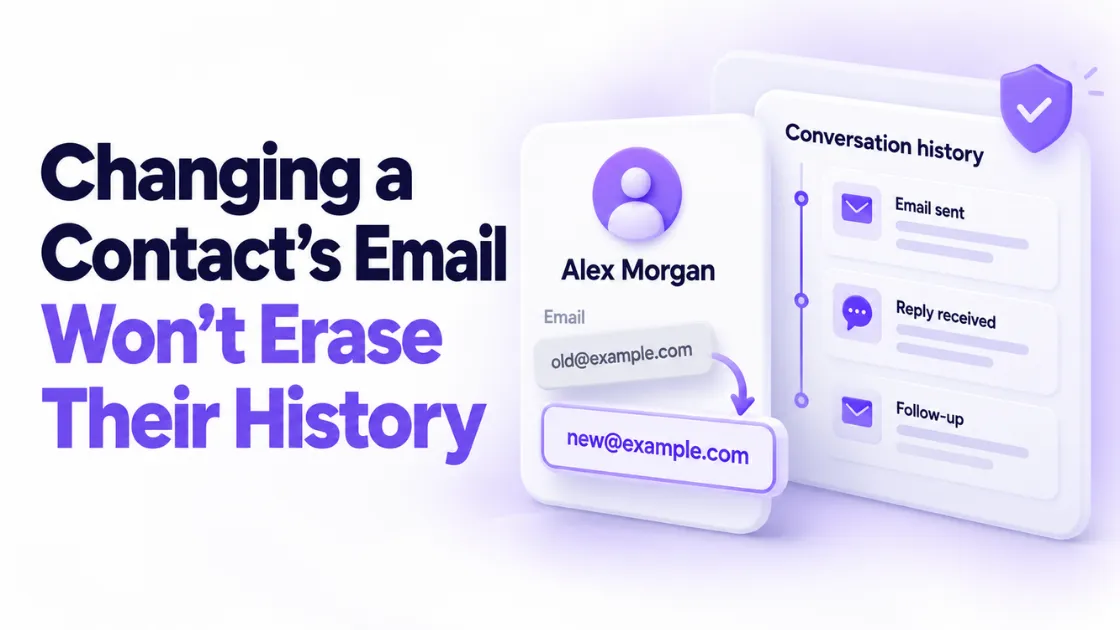
Will You Lose Email History If You Change a Contact's Email in Your CRM?
Will you lose email history if you change a contact's email in your CRM? A business asked us exactly this in support last week. They wanted to switch a contact from her old company email to her new one, and they were worried that the moment they made the change, months of captured emails in the contact's activity log would vanish.
Short answer: no. Updating a contact's email address will not remove the existing email history from the contact record. The conversations stay right where they are. Here's why, plus the two or three things you should actually do when you make the switch, because the email address is the easy part.
Quick Answer: Does changing a contact's email delete their history?
No. In PulseGrowth, an all-in-one CRM and automation platform for service businesses, email history is stored on the contact record itself, not on the email address. When you change a contact's email in your CRM, every captured email, note, and conversation in the activity log stays attached to that contact. You can either replace the old address or keep both addresses on the same record.
Why does the email history stay?
It helps to know what a contact record actually is. The record is the person: their name, their history, every conversation your business has had with them. The email address is just one field on that record, a label that tells the system where to send things.
So when you edit that field, you're changing the label, not the person. The activity log belongs to the record, and the record isn't going anywhere. Swap the address as many times as you like; the story of the relationship stays intact.
This matters more than it sounds. Your email history with a client is the memory of the relationship: what they bought, what they asked, what you promised. Losing it because someone changed jobs would be brutal. You don't.
How do you change a contact's email in your CRM?
In PulseGrowth it takes about thirty seconds:
- Open the contact's record.
- On the left-hand side, find the email field.
- Either replace the current address with the new one, or add the new address as an additional email if you'd like to keep both on the contact.
That last choice deserves a moment of thought, so let's look at it properly.
Should you replace the email or add a second one?
Replace it when the old address is truly dead: the person left the company, the domain is being shut down, or they've told you to stop using it. One address, no ambiguity, nothing accidentally sent to a mailbox nobody reads.
Add a second address when the person genuinely uses both, or when you're mid-transition and not sure the new one is fully live yet. Keeping both means a reply from either address still lands on the same contact record instead of spawning a duplicate.
Duplicates are the real enemy here. Two records for one person means two half-histories, and future-you trying to remember which one is real. One person, one record, however many addresses that takes.
What else should you check after changing the address?
Make sure the new email address is verified so the contact keeps receiving the emails you send through the system without any issues. An unverified address is how "we changed her email" quietly becomes "she stopped getting our emails," and nobody notices for a month.
While you're in there, it's worth a quick sanity check on the rest of the record. If the change happened because your client moved to a new company, update the company name and phone number too, so the record reflects who they are now. And if your emails were already having a rough time reaching inboxes before the switch, that's a sending problem rather than a contact problem; our guides on why emails go to spam and setting up a dedicated sending domain cover the fix.
Who runs into this most?
Any business whose clients are businesses. Consultants and agencies watch contacts hop between companies constantly. Coaches see clients rebrand and change domains. B2B service providers deal with role-based addresses being retired. If your client list is mostly individuals on Gmail, you'll hit this less often, but the day someone changes their address, the same rule applies: update the field, keep the record, verify the new address.
It's a small piece of CRM housekeeping, but it's the kind that compounds. Clean records mean your automations reach real inboxes and your follow-up history is trustworthy when you need it.
Key Takeaways
- Changing a contact's email in your CRM does not delete their email history; the activity log lives on the contact record, not the address.
- Update the address by opening the contact record and editing the email field on the left-hand side.
- Replace the old address when it's dead; add a second address when the person still uses both.
- Verify the new address so the contact keeps receiving your emails without interruption.
- Keep one record per person to avoid duplicate contacts with split histories.
FAQs
Will I lose emails if I remove the old email address completely?
No. The captured emails in the activity log belong to the contact record, and they stay there even after the old address is removed. Removing an address only affects where future emails are sent.
Can a contact have two email addresses in PulseGrowth?
Yes. You can add an additional email on the contact record and keep both addresses active. Replies from either address stay attached to the same contact.
What happens if I don't verify the new email address?
The history is safe either way, but sending can suffer. Verifying the new address makes sure the contact keeps receiving emails sent through the system without issues.
Does this work the same when a client changes companies?
Yes. Update the email field on their existing record rather than creating a new contact, and refresh the company details at the same time. That keeps the full relationship history on one record.
Should I ever create a new contact for a new email address?
Only if it's genuinely a different person. For the same person with a new address, always update the existing record. New contacts for old people are how duplicate records and lost history start.
Want more like this?
If you'd like a CRM that keeps every conversation attached to the right person automatically, start your free 14 day trial of PulseGrowth, with the CRM, email, automations, and unlimited users included. Start free, and we'll help you get it set up.
The PulseGrowth Team


