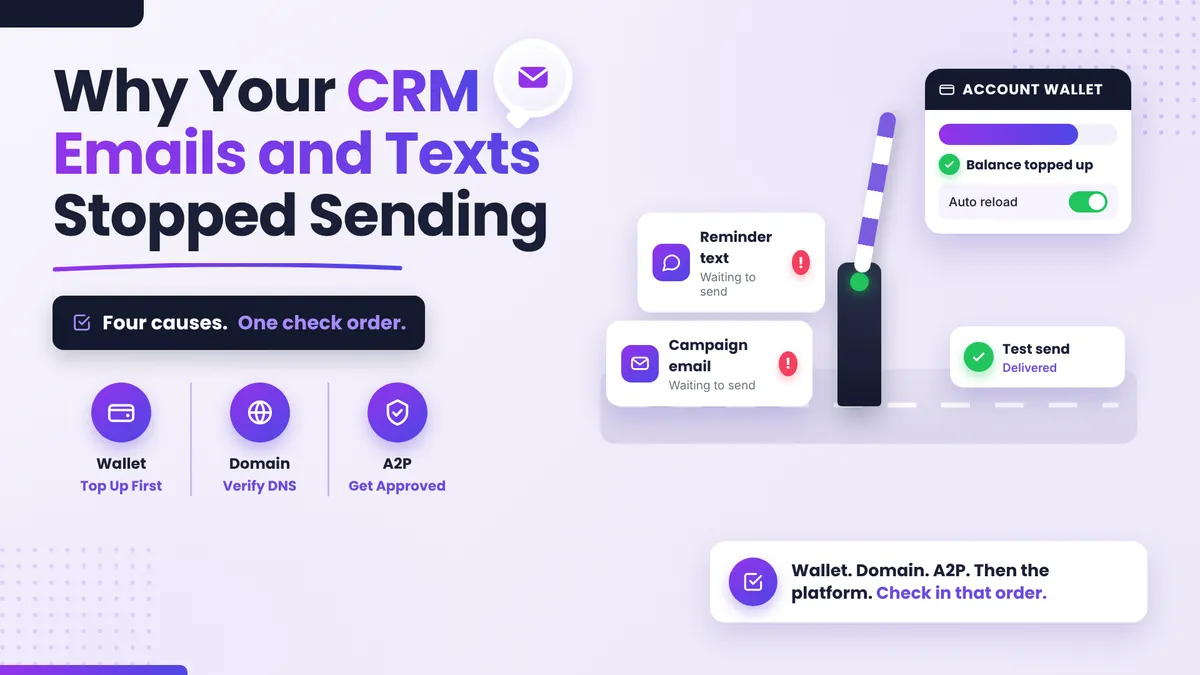
Why Did My CRM Emails and Texts Suddenly Stop Sending?
Your reminder emails went out fine on Monday. On Wednesday, nothing. No error you can see, no warning, just a campaign that quietly stopped and a team wondering what they broke. Here's the reassuring part: when CRM emails and texts that used to work suddenly stop, it's almost never spam filters, and it's almost never random. CRM emails not sending usually traces back to one of four causes, and you can check all four in under an hour.
Quick Answer: Why did my CRM emails and texts stop sending?
Sudden sending failures have four usual causes: your account wallet or credit balance ran out (and auto reload wasn't actually switched on), your email sending domain isn't verified or a DNS record changed, your A2P registration for texting is still pending or was rejected, or the platform itself had an outage. Check them in that order, test one send after each fix, and you'll find the culprit without burning a day in your settings.
Why does everything stop at once?
Spam problems come on gradually: open rates slide, a few messages land in junk, deliverability decays over weeks. We covered that slow version in our post on why emails go to spam.
A sudden, total stop is different. It means something upstream of delivery failed: the account can't pay for sends, the system no longer trusts your domain, carriers won't accept your texts, or the platform had a hiccup. These are hard failures with specific fixes, so work through them like a checklist rather than tweaking ten settings at once.
Check 1: Did your account balance run out?
Start here, because it's the most common cause and the fastest fix. Most CRM platforms charge sending costs (texts especially, and emails at volume) against a small wallet or credit balance inside your account. When that balance hits zero, sending stops. No dramatic alert on your screen, just silence.
The sneaky part is auto reload. Plenty of owners believe it's on because they remember seeing the option. Then the card on file expires, or the toggle never got saved, and the wallet quietly drains to zero mid-campaign.
What to do: open your billing or wallet section, check the balance, and confirm auto reload is actually enabled with a current card. If the balance was empty, top it up, then send one test email and one test text to yourself. If both arrive, you're done. If the platform emailed you a payment failed or negative balance notice recently, this was almost certainly your answer.
Check 2: Is your email sending domain verified?
If texts send but emails don't, look at your sending domain. Platforms will only send email from a domain that's verified with DNS records proving you own it. If your domain was never verified, or someone changed DNS settings (new website, new host, a well-meaning IT cleanup), verification can break and email sending stops with it.
What to do: open your email settings and look for the domain status. Anything other than verified or active needs fixing, which usually means re-adding a DNS record at your domain registrar. Our step-by-step guide to setting up a dedicated email sending domain walks through exactly which records matter and how to check them. Fix, wait for DNS to update, then test one send.
Check 3: Is your A2P registration still pending?
If emails send but texts don't, A2P is the prime suspect. A2P (application to person) registration is the carrier requirement for businesses texting in the US: you register your business, carriers approve it, and only then do your texts get delivered reliably. While registration is pending, or if it was rejected, texts can fail outright or vanish without an error.
This one catches new accounts and recent rebrands most often, because approval takes time and a mismatch between your registered business name and your legal details gets rejected. We wrote up the common rejection reasons in our post on why A2P verification fails.
What to do: check your A2P or trust center status in your phone number settings. Pending means wait (and chase if it's been weeks). Rejected means fix the mismatch and resubmit. Approved means your text problem lives elsewhere, so go back to check 1.
Check 4: Is it the platform, not you?
Sometimes you've changed nothing and broken nothing. Platforms have outages, and sending is often the first thing affected. The tell: everything was fine, nothing in your account changed, and the failure hit suddenly across both channels.
What to do before touching another setting: check the platform's status page, and ask support directly whether there's a known sending issue. One message can save you an afternoon of re-verifying things that were never broken. This is also where having real humans behind your platform matters. At PulseGrowth, an all-in-one CRM and automation platform for service businesses, support means someone who looks at your actual account, tells you whether the problem is on our side, and fixes the setting with you if it's not.
How to test without burning your list
After each fix, send one test, not a campaign. One email and one text to your own phone and inbox. If the test arrives, send to a small batch next, then resume normal volume. Restarting a full campaign on top of an unresolved problem just queues up more failures, and with texts it can also spend your freshly topped-up balance on sends that still won't deliver.
Key Takeaways
- A sudden sending stop is a hard failure, not a spam problem, so check causes in order instead of tweaking settings at random.
- Check the wallet first: an empty balance with auto reload silently off is the most common culprit.
- Emails failing alone points to domain verification; texts failing alone points to A2P registration.
- If nothing in your account changed, check the platform's status page and ask support before re-doing your setup.
- Test with one send after each fix, then a small batch, then resume volume.
FAQs
Why are my CRM emails not sending but texts work fine?
That pattern points at your email sending domain. Check that it still shows as verified in your email settings; a changed or missing DNS record is the usual cause, especially after a website or hosting change.
Why do my texts fail when my emails send normally?
Almost always A2P registration. If your registration is pending or rejected, carriers won't deliver your business texts. Check the status in your phone number settings and resolve any business name or detail mismatch.
How do I know if my CRM wallet ran out?
Open the billing or wallet area of your account and look at the balance. Also search your inbox for payment failed or negative balance notifications from the platform; those emails usually arrive right when sending stops.
Does auto reload mean my balance can never run out?
Only if it's genuinely on and the card behind it works. Expired cards and unsaved toggles are how most "it can't be the wallet" cases turn out to be the wallet. Confirm both every few months.
How can I tell if the problem is the platform's outage and not my settings?
You changed nothing, both email and text stopped at the same time, and the platform's status page or support confirms an incident. When in doubt, ask support first; it's the cheapest check on this list.
Want more like this?
If you'd rather never do this troubleshooting alone, start your free 14 day trial of PulseGrowth. Setup is done with you from day one, including your sending domain and A2P registration, the two things on this list most people get stuck on. Start free, and we'll help you get it set up.
The PulseGrowth Team


