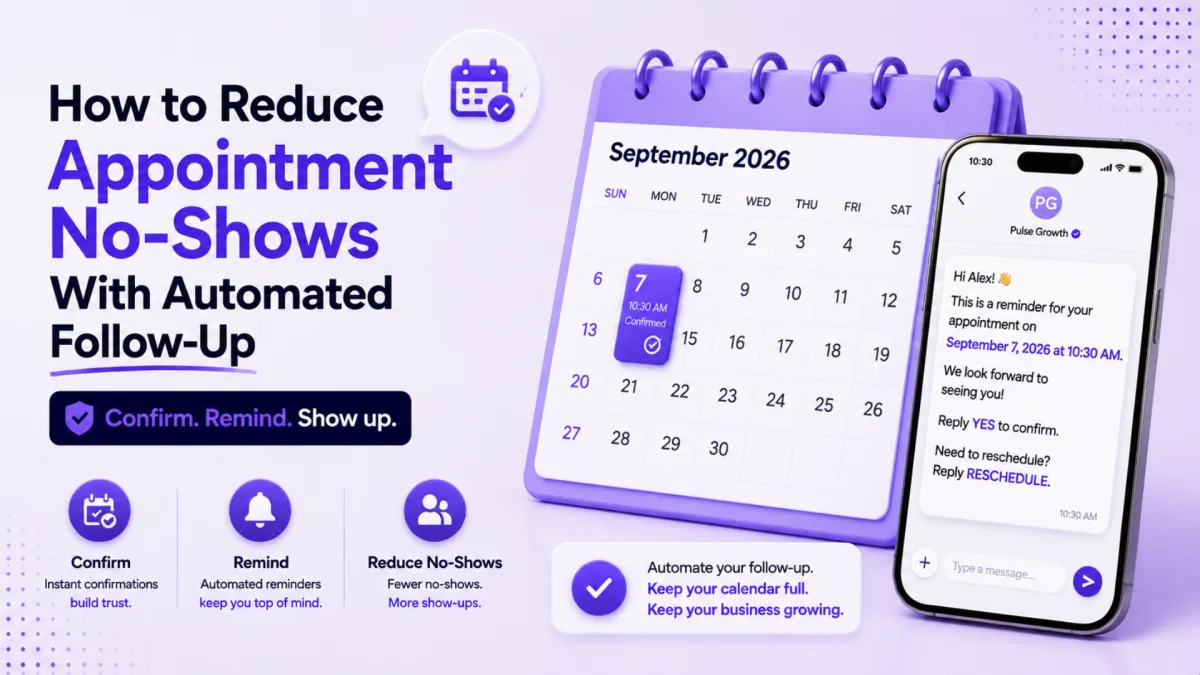
How to Reduce Appointment No-Shows (Hint: It's Your Follow-Up, Not Your Clients)
Your calendar looks great on Monday. Full of appointments, back to back, a good week ahead. Then Thursday arrives and half those people never showed up. If that sounds familiar, here's the part most business owners get wrong: it's usually not a people problem. It's your follow-up.
Quick Answer: How Do You Reduce Appointment No-Shows?
To reduce appointment no-shows, send an instant booking confirmation that includes an add to calendar link, then send a check-in the day before asking for a simple yes or no reply. Automate both messages so they go out every time without anyone on your team remembering to send them. Most no-shows happen because the appointment never made it into the client's own calendar, not because the client changed their mind.
Why Do People Miss Appointments They Booked Themselves?
Think about how you book things. You find a slot, you click confirm, and you move on with your day. If that appointment doesn't land in your personal calendar within a minute or two, it starts fading the moment you close the tab.
Your clients are no different. They booked in good faith. Then life happened, and there was nothing in their calendar to remind them you existed.
So before you blame flaky clients, walk through your own booking process as if you were one of them. Book a test appointment and watch what happens. Does a confirmation arrive straight away? Does it include a link to add the appointment to their calendar? Some popular booking tools only offer that calendar link if the person books with certain email accounts, which means a chunk of your clients quietly never get one. They aren't ignoring you. The appointment simply doesn't exist anywhere they look.
This hits service businesses hardest: coaches, consultants, financial advisors, med spas, clinics, salons, home service companies. Anywhere an empty slot is money you can't get back.
What Should Happen Right After Someone Books?
Two things, and both should happen without you lifting a finger.
First, the confirmation goes out instantly. Not in an hour, not when someone on your team gets around to it. The moment they book, they get an email or text confirming the time, and it includes an add to calendar link that works no matter what email provider they use.
Second, that appointment becomes real in their world. Once it's sitting in their personal calendar next to the school run and the dentist, your no-show rate starts dropping on its own. The confirmation isn't a courtesy. It's the mechanism that turns "I booked something" into "I have somewhere to be."
Why Does a Day-Before Check-In Work So Well?
The day before the appointment, send one short message: are we still on for tomorrow, yes or no?
That tiny question does two jobs. A yes nudges the appointment back to the top of their mind. A no, or silence, tells you something just as useful: this slot is probably not happening, and you can stop planning your day around it. If someone can't find a few seconds to tap yes, that was very likely a no-show anyway. Now you know in advance instead of sitting in an empty meeting room finding out the hard way.
Some businesses go one step further and open the freed slot to a waitlist. Even without that, just knowing beats waiting.
How Do You Set This Up Without Adding Admin?
Here's the good news: none of this requires a bigger team or a more disciplined you. It requires automation, set up once.
Inside PulseGrowth, an all-in-one CRM and automation platform for service businesses, the whole sequence runs on its own. Someone books through your calendar link, the confirmation with the add to calendar link goes out instantly, and the day-before yes or no check-in sends itself. Replies land in one inbox, so a "no" can trigger a reschedule message automatically too. We've seen this exact method run reliably for years with zero manual work. You set it up once, and it works like magic.
If you'd like to see what the booking and follow-up automation looks like in practice, our AI communication tools page walks through it, and the PulseGrowth blog has a full guide to the different types of booking calendars if you're not sure which fits your business.
And because we don't just hand over software, our team sets the sequence up with you, so the first confirmed appointment goes out before you've had to learn a single workflow builder.
Key Takeaways
- Treat no-shows as a process problem first, because it's usually your follow-up rather than your clients.
- Send the booking confirmation instantly and always include an add to calendar link that works for every email provider.
- Send a day-before check-in asking for a simple yes or no reply.
- Read silence as an early warning so you can release or refill the slot instead of waiting around.
- Automate the entire sequence once so it runs for every booking without anyone remembering to send anything.
FAQs
What is the most common reason for appointment no-shows?
The appointment never made it into the client's personal calendar. Without an instant confirmation and an add to calendar link, the booking fades from memory. Fixing that one gap usually cuts no-shows noticeably.
When should I send an appointment reminder?
Send a confirmation immediately after booking, then a check-in the day before the appointment. The day-before message works best when it asks for a yes or no reply rather than just announcing the time.
Do appointment reminders really reduce no-shows?
Yes, when they're built as a sequence. An instant confirmation makes the appointment real, and a day-before yes or no check-in either re-commits the client or warns you early. Each message has a job beyond "don't forget."
Should I call clients to confirm appointments?
You can, but you don't scale by phone. An automated text or email asking for a yes or no gets you the same answer without tying up your team, and it never gets skipped on a busy day.
What types of businesses benefit most from no-show automation?
Any business that sells time: coaches, consultants, financial advisors, med spas, clinics, salons, and home service companies. If an empty slot costs you money, this sequence pays for itself quickly.
Want More Like This?
Start a free 14 day trial of PulseGrowth and get the booking calendar, confirmations, and day-before check-ins included. Start free, and we'll help you get it set up.
The PulseGrowth Team


