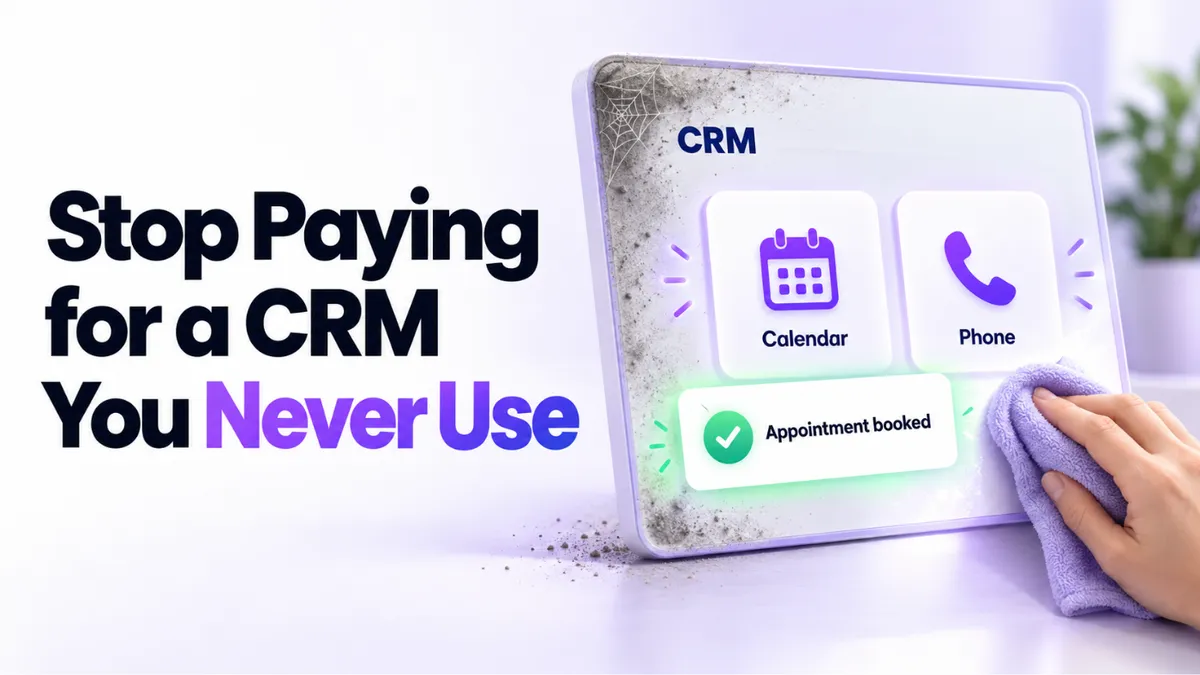
Paying for a CRM You Barely Use? Restart It This Weekend
There's a particular kind of monthly charge that stings more than the big ones: the CRM you pay for and barely open. You signed up with good intentions, someone set up the basics, life got busy, and now you're booking appointments by email while the software that could do it for you sits there, fully paid and fully ignored. If you're paying for a CRM you don't use, don't cancel it this weekend. Restart it. Here's the plan.
Quick Answer: What Should You Do With a CRM You Barely Use?
Before canceling, spend one weekend on three steps. First, find out what's already set up in your account, because the calendar, phone number, and payment connections are usually further along than you think. Second, replace one manual habit with the system, starting with appointment booking. Third, duplicate what already worked instead of rebuilding from scratch. Most "dead" CRM accounts are one working booking link away from earning their keep.
Why Do So Many Businesses End Up Here?
Almost never because the owner is lazy. The pattern we see over and over: the account got set up during one busy project, often by a contractor, a virtual assistant, or a tech-savvy helper who handled "all that stuff." The project ended, the helper moved on, and nobody picked the system back up. The owner isn't against automation. They just never got the hands-on walkthrough, and watching tutorial videos at 10pm isn't anyone's idea of a restart.
Meanwhile the manual habits crept back in: availability sent by email, meeting invites built by hand, payment links requested from someone else, client details living in memory and inboxes. Each one feels small. Together they're hours every week, which is exactly the time the subscription was supposed to buy back.
This applies to a lot of businesses: coaches and consultants who set up the system for one launch or masterclass, clinics and med spas whose front desk never got trained, home services firms where the office manager changed, local businesses that signed up during a quiet January and got busy by March.
Step 1: Find Out What's Already Set Up
This is the step that surprises people most. Log in (resetting the password counts as progress) and check four things:
- Your calendar. In many dormant accounts, the calendar is already connected to Google or Outlook and even synced with your video call tool. There may be a working booking link sitting there that no one has ever sent to a client.
- Your phone number. If a business number was purchased and registered during setup, the slow part (carrier approval for business texting, which takes days) may already be done. That's a head start you'd otherwise wait on.
- Your payments. If your payment processor was integrated, you can create branded payment links straight from the system, without giving anyone else access to the processor itself.
- Your contacts. Whatever was imported or captured during the original project is still there, waiting.
Make a simple two-column list: already set up, and not set up. Most people discover the first column is longer than expected, and the restart suddenly looks like a weekend, not a quarter.
Step 2: Swap One Manual Habit for Automated Booking
Don't try to adopt the whole platform in a weekend. Pick the single habit that costs you the most time, and for nearly every service business that's booking.
Here's what changes when you switch it on. Instead of emailing your availability back and forth, you share one link: in your email signature, on your website, in your social bios. Clients pick a time that's genuinely free, the meeting lands on your calendar with the video link attached, and confirmations and reminders send themselves. Every booking also becomes a contact record automatically, so your client list builds itself as a side effect.
Two small setup notes that make it stick. Block your personal time in the calendar you already use, and the sync will stop anyone booking over it; nobody sees what the block is, only that you're unavailable. And test the link by booking a call with yourself first, so you experience exactly what your clients will. If you'd rather describe what you need in plain language and let the system build it, here's how to set up a booking calendar with AI.
One working booking link, used for one week, usually settles the "should I cancel this?" question on its own.
Step 3: Duplicate What Already Works
If your account ever ran something successfully (a workshop funnel, a masterclass registration page, an email sequence), you're sitting on a foundation, not a relic. The fastest path to your next launch isn't building from scratch. It's duplicating the thing that worked, renaming it, updating the dates and copy, and running it again.
Want a different look this time? Fine. Change the design on the duplicate. The structure underneath (the form, the automation, the confirmation emails, the payment step) is the part that took weeks to wire up the first time, and it's the part duplication gives you for free.
This is also the moment to choose your next automation deliberately rather than automating everything at once. Our guide on what to automate first in your business lays out the order that pays off fastest.
Step 4: Use the Help You've Been Paying For
Here's the part dormant-account owners consistently miss: support and setup help are usually included in what you've already been paying. You don't get extra credit for struggling alone.
At PulseGrowth, an all-in-one CRM and automation platform for service businesses, paid accounts come with free setup help (calendar, business email, phone number registration, first automations), onboarding calls, and email support when something glitches. Ask for the training that covers only what your business needs right now; you don't need to learn the whole platform, just the five things you'll use weekly. And for bigger builds you'd rather hand off entirely, like a new landing page and automation for your next event, there's on-demand business support where our team builds it for you.
The platform you barely use has zillions of features. You need maybe six. A restart plan that respects that is one you'll actually finish.
Key Takeaways
- Don't cancel a barely-used CRM before auditing it, because the calendar, phone number, and payments are often already set up.
- Restart with one habit: replace manual appointment scheduling with your booking link this weekend.
- Block personal time in your synced calendar and test the booking link on yourself before sharing it.
- Duplicate funnels and sequences that worked before instead of rebuilding from scratch.
- Use the included support and setup help you've been paying for, and learn only the features your business needs now.
FAQs
Should I just cancel a CRM I'm not using?
Cancel if the tool genuinely doesn't fit your business. But if you never got set up properly, you'd be canceling the subscription without ever having used the product. Spend one weekend on the restart first; the audit alone tells you whether it's worth keeping.
How long does it take to restart a dormant CRM account?
The audit takes an hour. Getting a booking link live takes an afternoon if your calendar was already connected, which it often was. Duplicating an old funnel for a new event is usually a few hours, not weeks.
What if someone else set everything up and I don't know how it works?
Start with the audit and a call with the platform's support team. You own the account, so you're entitled to the walkthrough, and a good one covers just the features you'll actually use.
What should I automate first after booking?
Appointment confirmations and reminders, because they're low risk and visibly reduce no-shows. After that, lead follow-up. Resist turning everything on at once.
Will clients see my personal calendar if I sync it?
No. Syncing only blocks the times you're busy. Nobody sees what the appointment is, only that the slot isn't available.
Want More Like This?
If you'd rather restart with someone beside you, start a free 14 day trial of PulseGrowth. Our team sets up your calendar, business email, and phone number with you, free, and shows you only the features your business will use. Start free, and we'll help you get it set up.
The PulseGrowth Team