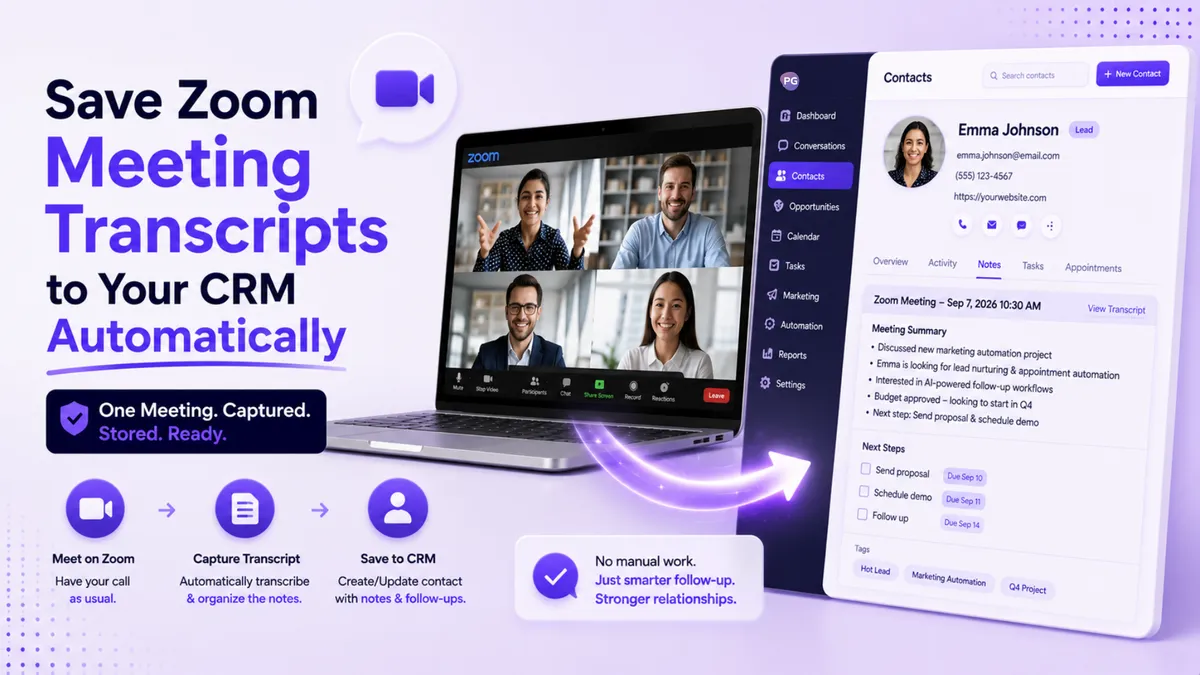
How to Automatically Save Zoom Meeting Transcripts to Your CRM
"Is there a way to automatically pull transcripts from our Zoom meetings into the CRM? We want them to go into the notes of the contact we had the meeting with."
That question landed in our support inbox this week, and it's a good one, because the answer changes how much admin your meetings create. So let's answer it properly, for everyone who's ever finished a call and thought "I should write that down" and then didn't.
Quick Answer: Can You Save Zoom Transcripts to Your CRM Automatically?
Yes. You can save Zoom transcripts to your CRM automatically by connecting Zoom to your CRM with an automation tool such as Zapier. After each meeting, the transcript or meeting summary is sent to your CRM and added to the notes on the matching contact's record. It isn't a built-in Zoom feature, so the connection has to be set up once, and after that it runs on its own for every recorded meeting.
Why Bother Putting Meeting Transcripts in Your CRM?
Because your memory is not a system. A week after a sales call, you remember maybe a fifth of it. The client's exact words, the objection they raised, the budget number they mentioned in passing, all gone unless someone wrote it down.
When every meeting lands in the contact's notes automatically, the whole relationship lives in one place. Anyone on your team can open a contact and see what was actually said, not a two-line summary someone typed from memory three days later. Follow-up emails get specific. Handovers stop losing detail. And nobody spends Friday afternoon downloading transcripts and pasting them into records by hand.
This is worth setting up for any business that runs meetings with clients: consultants, coaches, agencies, financial advisors, recruiters, and sales teams of any size.
What Do You Need Before You Set It Up?
Three things, in plain terms.
First, Zoom needs to produce a transcript in the first place. That means recording your meetings to the cloud with transcription turned on, which is a feature of Zoom's paid plans. A recording saved only to your laptop won't trigger anything.
Second, you need an account with an automation tool like Zapier, which acts as the messenger between Zoom and your CRM. Zapier has its own plans, so factor that subscription into the decision.
Third, you need a CRM that automation tools can talk to. PulseGrowth, our all-in-one CRM and automation platform for service businesses, connects to Zapier, so transcripts can flow straight into contact notes.
How Does the Connection Actually Work?
Once it's set up, the flow looks like this. Your Zoom meeting ends and the cloud recording processes. When the transcript is ready, the automation picks it up, finds the right contact in your CRM (usually by matching the attendee's email address), and adds the transcript or summary to that contact's notes. You do nothing. The note is just there next time you open the record.
A few honest gotchas worth knowing before you start. The transcript isn't instant, since Zoom takes some time to process the recording after the meeting ends. The contact matching depends on the attendee joining with an email address your CRM recognizes, so a client who joins from a different address may need a manual touch. And because this runs through a third-party connection rather than a native integration, it needs to be built and tested once, carefully, before you trust it with every meeting.
That last part is where most people get stuck, and honestly, it's the least fun part of the project. If you'd rather not wrestle with automation settings, this is exactly the kind of thing we build for PulseGrowth customers. You can see more of what the platform automates on our AI communication tools page.
Is This Worth It for a Small Team?
If you run more than a handful of client meetings a week, yes. The math is simple: a few minutes of note-writing per meeting, times every meeting, times every week, forever. The setup is a one-time cost. The manual alternative is a tax you pay for the life of your business.
And the quieter benefit is quality. Notes written by a tired human after back-to-back calls are thin. Transcripts aren't. Six months into a client relationship, having the full history in one place is the difference between "remind me where we left off" and picking up exactly where you stopped.
Key Takeaways
- Zoom transcripts can flow into your CRM contact notes automatically using a connector tool like Zapier.
- You need Zoom cloud recording with transcription turned on, a Zapier account, and a CRM that accepts the connection.
- Contacts are matched by email address, so meetings booked with the client's real email work best.
- Expect a short delay after each meeting while Zoom processes the recording and transcript.
- Set the connection up once, test it properly, and it removes meeting note admin permanently.
FAQs
Can Zoom send transcripts to a CRM without any extra tools?
Not automatically. Zoom stores transcripts with your cloud recordings, but getting them into a contact's notes takes a connector such as Zapier. The connection is set up once and then runs by itself.
Do I need a paid Zoom plan for this to work?
Yes. Automatic transcripts come from Zoom's cloud recording feature, which is part of the paid plans. Recordings saved only to your computer don't produce a cloud transcript, so there's nothing for the automation to pick up.
How does the transcript find the right contact in the CRM?
Usually by matching the meeting attendee's email address to a contact record. If the client joins with an email your CRM doesn't have, the note may need to be attached manually, so it helps to book meetings using the client's usual address.
Can I send a meeting summary instead of the full transcript?
Yes. The same connection can pass along Zoom's meeting summary rather than the full word-for-word transcript, which keeps contact notes shorter and easier to scan. Many teams prefer that.
Will PulseGrowth set this up for me?
Yes. Setup help is part of how we work. We connect Zoom, Zapier, and your PulseGrowth account, then test it with you so transcripts land where they should before you rely on it.
Want More Like This?
Start a free 14 day trial of PulseGrowth and get the CRM, automations, and unlimited contacts included. Start free, and we'll help you get it set up.
The PulseGrowth Team


