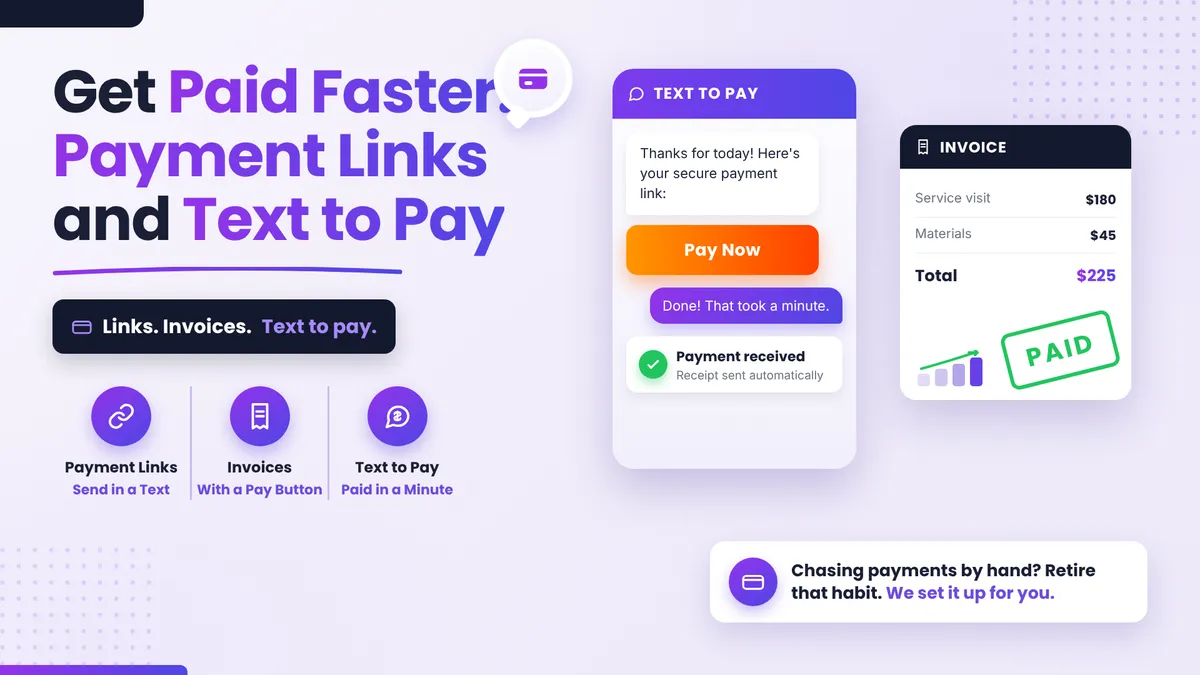
Can Your CRM Take Payments? Payment Links, Invoices and Text to Pay
Getting the work done is rarely the hard part. Getting paid for it, promptly, without sending three reminder emails and a slightly awkward text, somehow still is. If you're running your business on a CRM, there's a good chance it can already collect the money for you, and most owners have simply never switched that part on. This is a beginner's walkthrough of the three ways to do it: payment links, invoices, and text to pay for small business owners who want the chasing to stop.
Quick Answer: Can a CRM take payments?
Yes. A modern CRM with payments built in can take card payments three ways: a payment link you send in a text or email, a proper invoice with a pay button, and text to pay, where the customer taps a link in a text message and pays on their phone in under a minute. You connect a payment processor such as Stripe once, and every payment lands in the same system that already holds the customer's record.
What is text to pay and how does it work?
Text to pay is exactly what it sounds like: instead of mailing an invoice or asking for a card over the phone, you text the customer a secure payment link. They tap it, see the amount, pay with a saved card, Apple Pay or Google Pay, and you both get a confirmation. The whole exchange takes less time than reading this paragraph.
Why text rather than email? Because texts get read. Plenty of your customers haven't opened your last three emails, but almost everyone opens a text within minutes. For the plumber finishing a job, the med spa checking out a client, or the coach collecting a session fee, text to pay meets the customer where they already are: on their phone, right after the service, at the exact moment they're happiest to pay.
It's good for home services, salons and med spas, clinics, coaches, tutors, cleaners, and any business where the amount is agreed and the customer just needs a frictionless way to settle up.
When should you send a payment link instead of an invoice?
Think of it as a formality scale.
- Payment links suit quick, agreed amounts: a deposit to hold a booking, a one-off service fee, a product a customer asked about in your DMs. You create a link for the amount, drop it into any text or email, and it works wherever you paste it.
- Invoices suit work that needs a paper trail: itemized services, payment terms, a business customer whose bookkeeper wants a document. A CRM invoice looks like a proper invoice, carries your branding, and has a pay button at the top, so being formal doesn't mean being slow.
- Text to pay is the delivery method that makes both faster. An invoice nobody opens doesn't get paid; the same invoice arriving as a text usually does.
A rule of thumb: if the customer would be surprised to receive a document, send a link. If their accountant would be surprised not to, send an invoice. Either way, send it by text when you can.
What do you need to set up first?
One thing, mainly: a payment processor. In PulseGrowth, an all-in-one CRM and automation platform for service businesses, that means connecting Stripe, which handles the actual card processing. You create a free Stripe account if you don't have one, connect it to the platform once, and from then on payment links, invoices and text to pay all draw on that same connection.
Two practical notes. First, Stripe charges its standard card processing fees on each transaction, the same as it would through any tool, so you're not paying extra to run payments through your CRM. Second, to send payment links by text in the US, your business texting needs to be registered and approved (the same A2P registration your reminder texts use), so if texting already works in your account, text to pay will too.
That's the quiet advantage of keeping payments inside the platform: you've already done the setup that a separate invoicing tool would make you repeat. If you're weighing one system against a stack of separate tools, our comparison of a CRM versus an all-in-one platform covers where consolidation actually saves money.
Why is chasing payments the last manual habit owners drop?
Owners automate their booking, their reminders and their follow-up, then still spend Friday afternoons personally chasing money. Usually it's habit, and a touch of politeness: asking for payment feels personal, so it stays manual.
Here's the reframe. An automated payment reminder isn't ruder than a personal one. It's less awkward for everyone, because nobody is composing that third chasing email and nobody is receiving it from a person they know. The invoice goes out when the work is done, a friendly reminder follows on a schedule if it stays unpaid, and the record updates itself the moment the customer pays, in the same place your appointments and conversations already live.
If you're working out which of your manual habits to hand over next, our guide to what to automate first in your business puts payments in context with the rest.
Key Takeaways
- A CRM with built-in payments can take money three ways: payment links, invoices, and text to pay.
- Text to pay wins on speed because texts get opened; it fits any business collecting an agreed amount after a service.
- Use a payment link for quick amounts and an invoice when the customer needs a document, and send both by text where possible.
- Setup is one Stripe connection; if your account already sends texts, text to pay is ready to use.
- Automating payment reminders removes the awkwardness for both sides, and it's usually the last manual habit worth keeping.
FAQs
What is text to pay for small business?
Text to pay means sending a customer a secure payment link in a text message. They tap it and pay on their phone by card, Apple Pay or Google Pay. It works because texts get opened fast, usually within minutes.
Do I need a separate invoicing tool if my CRM takes payments?
Usually not. A CRM with payments built in creates branded, itemized invoices with a pay button and sends them by email or text. A separate tool mostly adds another subscription and another place to check.
Is text to pay safe for my customers?
Yes. The link opens a secure checkout run by the payment processor, and card details go to the processor, not to you or your text thread. It's the same protection as paying on a website.
What does it cost to take payments through a CRM?
The payment processor charges its standard card processing fees per transaction, just as it would anywhere else. In PulseGrowth there's no extra platform fee on top for using payment links, invoices or text to pay.
Can payment reminders go out automatically?
Yes. You can set an unpaid invoice to trigger friendly reminders on a schedule, by email, text or both, and the reminders stop the moment the payment arrives.
Want more like this?
The easiest way to see how fast text to pay feels is to send yourself one. Start your free 14 day trial of PulseGrowth, which includes payments, invoicing, booking, follow-up automation and your CRM in one place. Start free, and we'll help you get it set up, Stripe connection included.
The PulseGrowth Team


