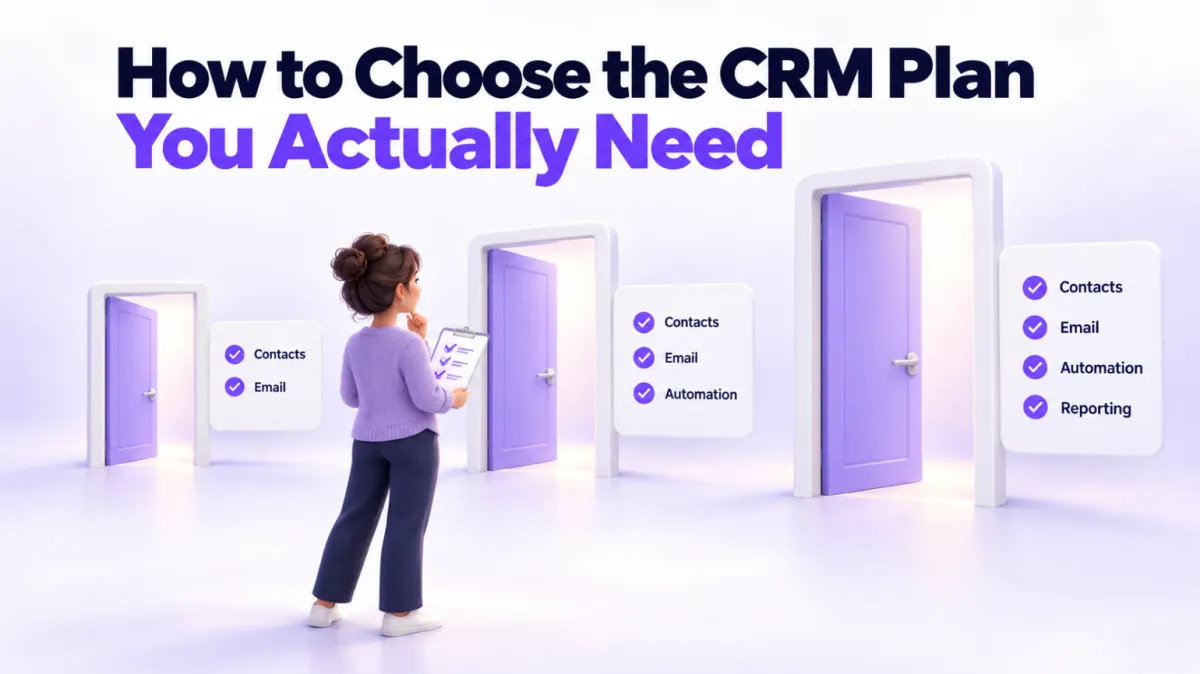
Which CRM Plan Do You Actually Need?
"I don't understand the difference between the plans. Many of the items look very similar."
A customer sent us that exact question last week, and it deserves a public answer, because she's right. Plan comparison pages do look similar. The same feature names appear on every tier, and the price gap between them seems to buy you nothing obvious. So here's the honest version of how to choose.
Quick Answer: Which CRM plan do I need?
Start on the smallest plan that covers your one most important job, usually capturing leads and replying to them. A starter plan exists to prove the channel works for your business. Upgrade the moment a missing feature starts costing you hours of workarounds, because at that point the bigger plan is cheaper than your time. Don't buy the top tier on day one for features you might use someday.
Why do all the plans look the same?
Because the core of a CRM is on every tier. Contacts, conversations, a pipeline, a calendar: no vendor holds those back, ours included. What separates the tiers is rarely the headline features. It's the operational ones that only matter once you're actually running on the platform: invoicing, memberships, advanced automation, reporting, that kind of thing.
The frustrating part is that you often can't tell which of those you'll need until you're using the system daily. That's not a character flaw in you or a trick by the vendor. It's just the nature of tools: the gaps only show up when you walk into them.
Our customer found this out the practical way. She was on our starter plan, went to edit and resend an invoice, and discovered invoicing wasn't included in her tier. There was a workaround (a payment link does the same job for a one-off payment), but the moment workarounds become your daily routine, the plan question answers itself.
What is a starter plan actually for?
A starter plan has one job: to prove the channel works, at a price where the experiment is painless.
It answers questions like: do my customers actually use web chat? Does a missed call text-back win back callers I was losing? Do review requests move my Google rating? Will my team actually live in this system? Those answers are worth far more than the small monthly fee, and you don't need the full toolbox to get them.
What a starter plan is not for is running your entire operation forever. If you're using it as your invoicing system, your membership site, and your marketing engine all at once, you've outgrown it, whatever the comparison table says.
When is it time to upgrade?
The signal is not a feature list. It's your calendar. The moment you notice you're spending hours working around a missing feature, the upgrade is cheaper than your time. Every time.
Do the math the way you'd price any purchase. If your time is worth $50 an hour and a workaround costs you three hours a week, that's $600 a month you're spending to avoid a plan that costs a fraction of that. The starter plan stopped being the cheap option a while ago. You just hadn't sent yourself the invoice.
Some concrete signs you've hit that point: you're copying data between tools that a bigger plan would connect, you're manually sending things an automation could send, you've built a spreadsheet to track something the next tier tracks for you, or you're regularly telling customers "sorry, I can't do that from my system."
What should you ask before paying for a bigger tier?
Five questions, in order:
- Which specific feature am I missing? Name it. "More stuff" isn't a reason. "I need to send and edit invoices" is.
- What is the workaround costing me per week? Count the hours honestly, and multiply by what your time is worth.
- Will I use the feature this month, or someday? Pay for this month's problems. Someday's problems can pay for themselves someday.
- Is there a usage cost either way? On most platforms, ours included, things like SMS and email sends carry small usage charges separate from the plan fee, so a plan price and a monthly bill aren't identical. Ask, so nothing surprises you.
- Can I talk to a human before deciding? A ten minute conversation about how you work beats an afternoon squinting at a comparison table. Any vendor who won't get on a call to explain their own pricing is telling you something.
If you're weighing up PulseGrowth tiers specifically, the pricing page lays out what's in each plan, and we're genuinely happy to walk through it with you and say which plan fits, including when the answer is "stay on the small one."
Who is each type of plan good for?
A starter plan fits businesses testing the water: a solo coach or consultant getting their first system, a local business that mainly wants reviews, web chat, and missed call text-back, or anyone replacing sticky notes rather than software. It's for proving that leads captured and answered quickly turn into customers.
A full plan fits businesses where the system is the operation: clinics and med spas juggling bookings, reminders, and follow-up sequences, service businesses invoicing through the platform, and anyone running courses, memberships, or serious email marketing. If losing the system for a day would visibly cost you money, you're a full plan business.
And if you're between the two, that's normal. It usually means you're a starter plan business who's growing, which is the whole idea.
Key Takeaways
- Start on the smallest plan that covers your one most important job, usually lead capture and fast replies.
- Use the starter plan to prove the channel works before you invest in the full toolbox.
- Upgrade when a missing feature costs you hours, because the bigger plan is cheaper than your time.
- Name the specific feature you need and price the workaround before paying for any bigger tier.
- Ask about usage charges and book a call with the vendor instead of decoding comparison tables alone.
FAQs
Which CRM plan should a small business start with?
The smallest one that handles your most important job, which for most service businesses is capturing leads and replying to them fast. Prove the system works for you first. You can upgrade in a few clicks; you can't refund time spent overpaying.
Why do CRM plans look so similar?
Because the core features appear on every tier. The differences are usually operational tools like invoicing, memberships, and advanced automation, which only become relevant once you're running your daily work on the platform.
When should I upgrade my CRM plan?
When a missing feature starts costing you real hours in workarounds. Price those hours at what your time is worth and compare that to the price difference between plans. The moment the workaround costs more, upgrade.
Is the cheapest CRM plan always the cheapest option?
No. A plan that saves money on the fee but costs you three hours of workarounds a week is the most expensive plan you can own. Total cost is fee plus usage charges plus your time.
Can I switch plans later without losing my data?
Yes. On PulseGrowth, upgrading unlocks more features on the same account, so your contacts, conversations, and history stay exactly where they are. That's true of most platforms, but always confirm before you commit.
Want more like this?
The easiest way to find out which plan you need is to stop guessing and try the system on your real leads. You can start a free 14 day trial of PulseGrowth, the all-in-one CRM and automation platform for service businesses. Start free, and we'll help you get it set up, including a 1:1 call to match the plan to how you actually work. More straight answers to real customer questions are on our blog.
The PulseGrowth Team


