Is Live Chat on Your Website Still Worth It?
A chat bubble that nobody answers is worse than no chat bubble at all. Visitors try it once, wait, and leave with a slightly worse impression of your business than when they arrived. So the real question about live chat for a small business website isn't whether it works. It's whether yours will get answered.
Quick Answer: Is Live Chat Still Worth It?
Yes, live chat for a small business website is still worth it in 2026, but only if every message gets a reply. Chat captures visitors who would never fill out a contact form or pick up the phone. Modern widgets also move the conversation to text, WhatsApp, or email, so it continues after the visitor closes the tab. If nobody on your team can answer during the day, let AI handle the first reply instead of leaving the widget silent.
What Does Live Chat Actually Do for a Small Business Website?
Most of your website visitors sit in an awkward middle. They're interested enough to look, not committed enough to call, and a contact form feels like homework. Chat gives that person a low effort way to ask the one question standing between them and a booking. "Do you take my insurance?" "Can you fit me in this week?" "How much is a deep clean?"
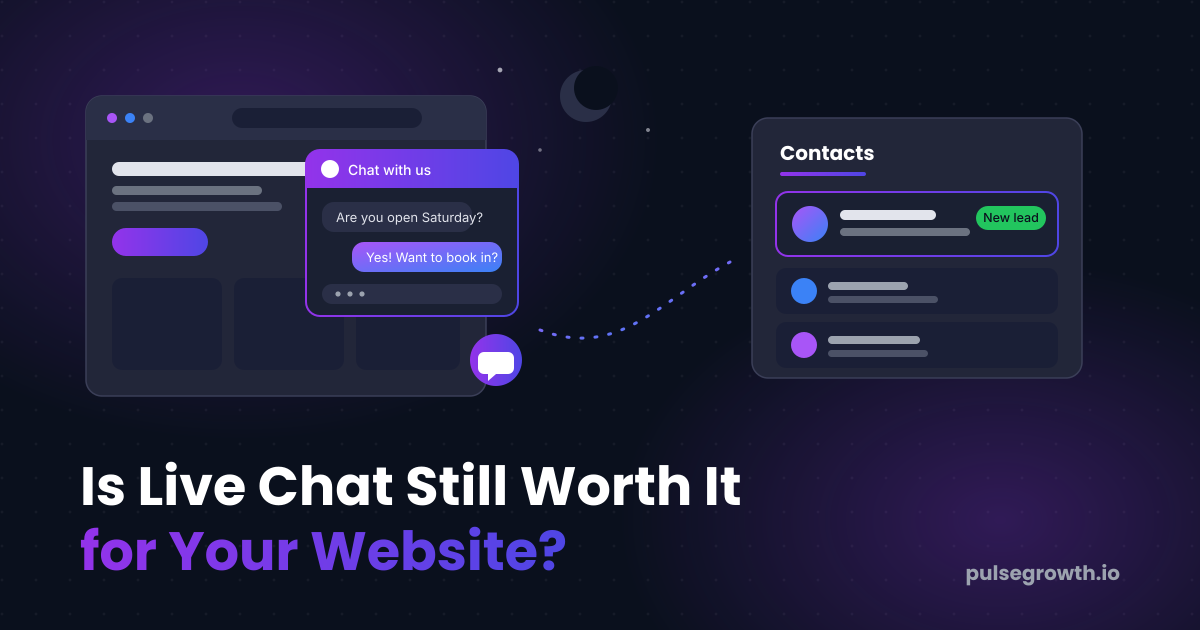
Here's the part that matters for your pipeline: before the conversation starts, the widget asks for the visitor's name and phone number or email. That turns an anonymous browser into a contact in your list. In PulseGrowth, an all-in-one CRM and automation platform for service businesses, the conversation then moves to SMS, WhatsApp, or email, so you can keep talking long after they've left your site. Every reply lands in the same inbox as your texts, emails, and social messages, not in yet another app.
This works best for businesses where questions come before bookings: clinics, salons, home services, coaches, consultants, law and accounting firms. If people already call you to ask what you do and what it costs, a chat widget catches the same questions from the people who would never make that call.
When Is Live Chat a Bad Idea?
Honest answer: when nobody owns it.
A visitor who opens a chat expects a reply in minutes, not tomorrow. If your widget sits unanswered for hours, you've built a little machine for disappointing people at the exact moment they were ready to buy. In that case, no widget beats a dead one.
The other failure is treating chat as one more place to check. If your team already juggles a phone, an inbox, and three social accounts, adding a separate chat app guarantees something gets missed. The fix isn't discipline. It's putting chat in the same inbox as everything else, so answering it is part of answering everything.
If you're not willing to answer and not willing to switch on AI, skip the widget. That's a perfectly valid choice, and it's better than the silent bubble.
Should AI or a Human Answer Your Website Chat?
Both, and here's the split that works for most small teams.
AI takes the first reply. It answers instantly, around the clock, and it's good at the questions that make up most of your chat volume: opening hours, prices, services, and sending a booking link. A visitor at 9pm gets an answer at 9pm, and the appointment often books itself before you've even seen the conversation.
Your team takes over when the question needs judgment. Because the conversation sits in your shared inbox, anyone who's free can jump in, and the AI steps back the moment a human replies.
One caveat from our own support desk: if your bot ever goes quiet on certain customers, it's almost always a settings issue, not a broken bot. We walked through the usual causes in why your AI chatbot isn't responding to some customers.
Want to see what the widget looks like in action before you build one? There's a live example on our web chat page.
How Do You Set Up Live Chat on Your Website?
In PulseGrowth, the whole setup takes a few minutes:
- Go to Sites, then Chat Widget, and click New.
- Choose the type of chat you want. For a widget your team answers, select Live Chat and click Select.
- Customize the widget: the chat bubble, chat type, widget window, and acknowledgement settings. When it looks right, click Save.
- To add the widget to one specific page, click Get Code, then Copy Code. In your funnel or website builder, add a Code element to the page, open the code editor, paste the widget code, and save the page.
- To show the widget on every page of your site instead, go to Settings, scroll to Chat Widget, select your widget, and click Save.
Two things worth knowing before you start. The global setting covers sites built inside PulseGrowth; if your website lives on another platform, you can still use the widget by pasting the code into that site (or handing it to whoever manages it). And if you'd rather not touch any of it, setup help is included with every PulseGrowth account, so we can switch it on for you.
Key Takeaways
- Live chat is still worth it in 2026, but only when every message gets answered.
- A dead chat widget actively costs you leads, so answer it or remove it.
- Chat captures the visitors who will never call you or fill out a form.
- Let AI handle first replies and after hours, and have your team take over when they're free.
- Keep chat in the same inbox as your texts and emails so it never becomes another app to check.
FAQs
Is live chat worth it for a one person business?
Yes, as long as AI takes the first reply. You can't sit by the widget all day, but the bot can. It answers common questions instantly, captures the visitor's number, and moves the conversation to text so you can reply between jobs.
Do visitors actually use chat widgets?
The ones with questions do, and those are your warmest visitors. A form asks for commitment. Chat only asks for a sentence, which is why it catches people a form never would.
What happens when someone chats after hours?
With AI switched on, they get an instant answer and often a booking link. Without it, the widget still captures their contact details, so you can follow up by text first thing in the morning instead of losing them entirely.
Can I add the chat widget to a website built on another platform?
Yes. Create the widget, click Get Code, and paste the code into your existing site. The conversations still flow into your PulseGrowth inbox.
Will live chat replace my contact form?
No, and it shouldn't. Forms work for people who already know what they want. Chat catches everyone who still has a question first. Run both.
Want More Like This?
If you'd like chat, texts, email, and bookings handled from one place, start a free 14 day trial of PulseGrowth. You get the full platform, and we help you get it set up, so your widget is answering visitors before the trial is over. Start free, and we'll help you get it set up.
The PulseGrowth Team


